NinjiSMP Connect enables console players to join NinjiSMP server
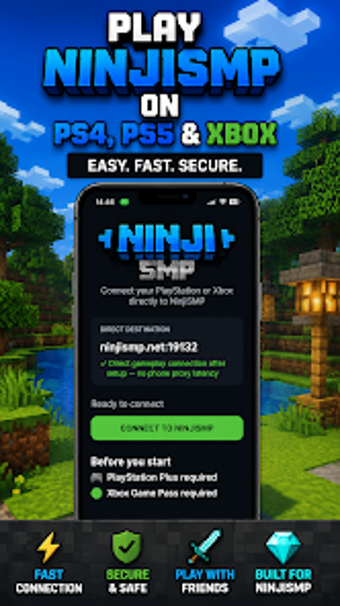
NinjiSMP Connect, from NinjiSMP, helps Minecraft Bedrock Edition console players reach a community server that platform stores do not list. The app runs on an Android handset and functions as a local LAN proxy so consoles can discover the NinjiSMP Bedrock server in their networked game list. Key capabilities include console bridging, simplified server IP setup, and a compact 5.21 MB installer. It targets PlayStation and Xbox players seeking direct access to the NinjiSMP survival world.
How the app presents a private server to restricted consoles
The app acts as a local LAN proxy that makes a remote Bedrock server discoverable to consoles on the same network. In practice the flow is: run the app on a mobile device connected to the home network, the tool advertises the NinjiSMP endpoint, and the console lists the server in its multiplayer area so players can join. The console must have Minecraft Bedrock Edition installed to connect.
What to expect from system and storage impact
Storage and runtime requirements are modest: the installer is about 5.21 MB and the tool targets devices running Android 5.0 or higher. Because the bridge executes on a phone or tablet rather than the console, it does not rewrite console files. Network traffic is local to the LAN, so the device hosting the bridge handles the discovery handshake while the console manages gameplay packets.
Safety trade-offs for a community-built utility
This is a third-party community utility and not affiliated with Mojang or Microsoft, a fact that affects trust and support expectations. The app is offered without in-app advertisements, which reduces exposure to ad-related components. Users should treat it as a community tool and run it on a device they control; having Minecraft installed on the console is a prerequisite for joining.
Setup complexity and who benefits most from it
The tool simplifies server configuration by presenting a console-friendly IP setup and receives regular updates to remain compatible with the NinjiSMP server. Typical setup steps include:
- install on a phone or tablet
- join the same local network as the console
- open the app so the console discovers the server
Best suited for console players committed to the NinjiSMP community
The utility is a practical, community-targeted solution for players who want to join the NinjiSMP environment, supported by the community's active moderation and in-game systems such as economy and ranked duels. Its niche focus limits usefulness outside that server community, so adopt it when you intend to participate in that specific multiplayer world. Recommended.